Stop before you buy 🛑עוצרים לפני שקונים 🛑
Open a shopping app and a "Think twice" screen appears. Or tap the big green button yourself.פותחים אפליקציית קניות ומופיע מסך "רגע לפני". או לוחצים בעצמך על הכפתור הירוק הגדול.
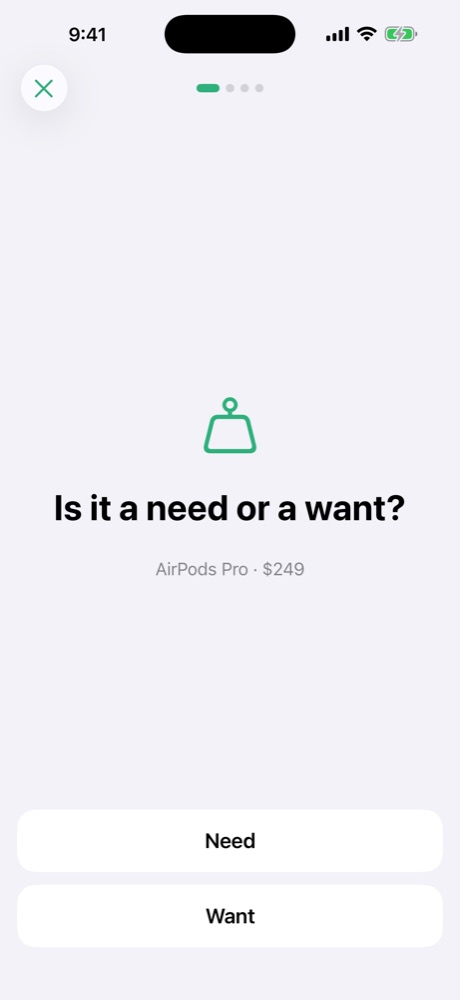
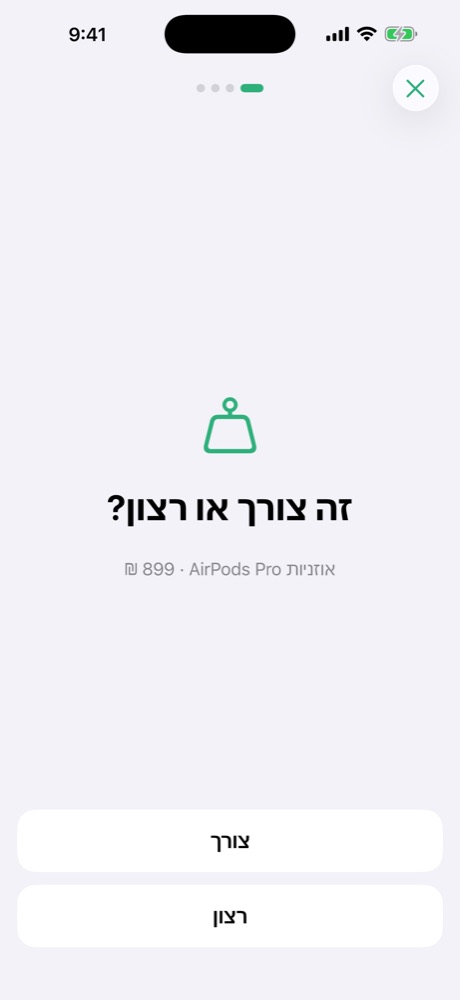
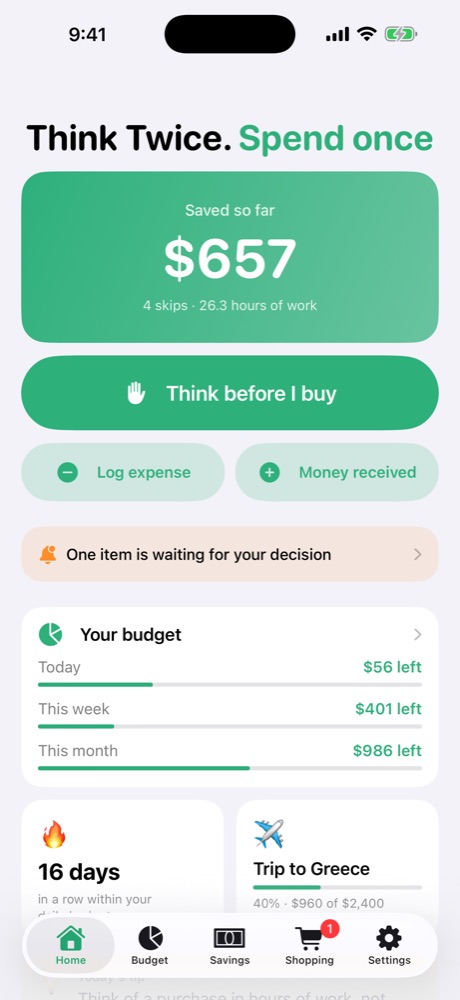
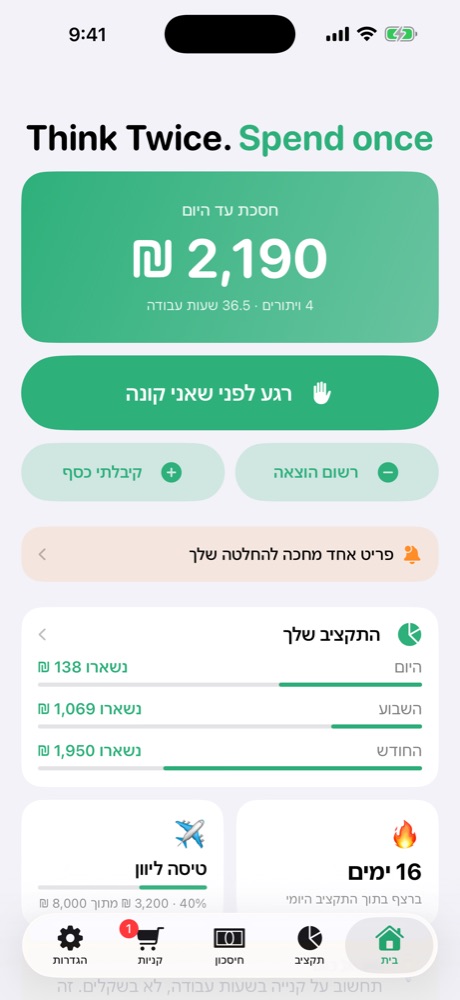
ThinkTwice! stops you for a moment before you buy, shows what it really costs in hours of work, and turns every purchase you skip into savings you can see. ThinkTwice! עוצרת אותך לרגע לפני שקונים, מראה כמה זה באמת עולה בשעות עבודה, והופכת כל קנייה שוויתרת עליה לחיסכון שאפשר לראות.
No sign-up · No ads · Your data stays on your phoneבלי הרשמה · בלי פרסומות · המידע נשאר בטלפון שלך
How it worksאיך זה עובד
Most impulse buys happen in a few taps. ThinkTwice! adds one small step in between.רוב הקניות האימפולסיביות קורות בכמה לחיצות. ThinkTwice! מוסיפה צעד קטן אחד באמצע.
Open a shopping app and a "Think twice" screen appears. Or tap the big green button yourself.פותחים אפליקציית קניות ומופיע מסך "רגע לפני". או לוחצים בעצמך על הכפתור הירוק הגדול.
Need or want? Do you already have one? You also see the price in hours of work.צורך או רצון? יש לך כבר כזה? ורואים גם את המחיר בשעות עבודה.
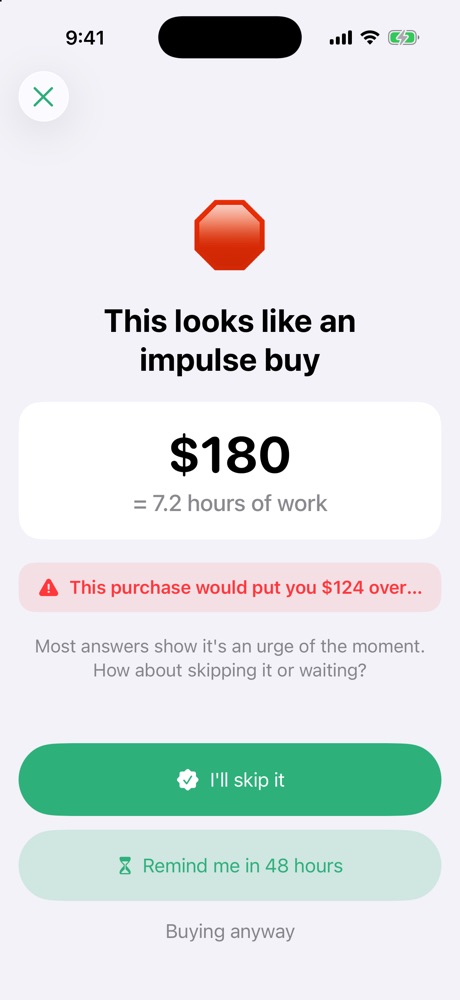
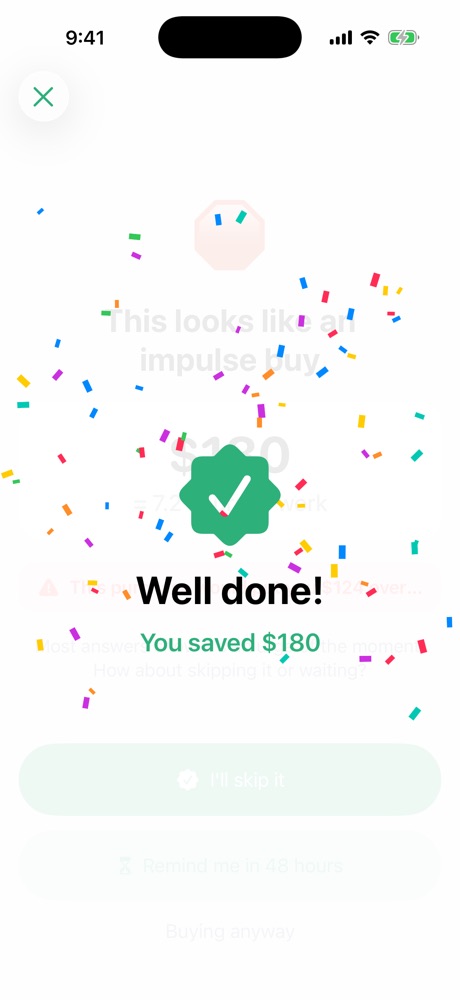
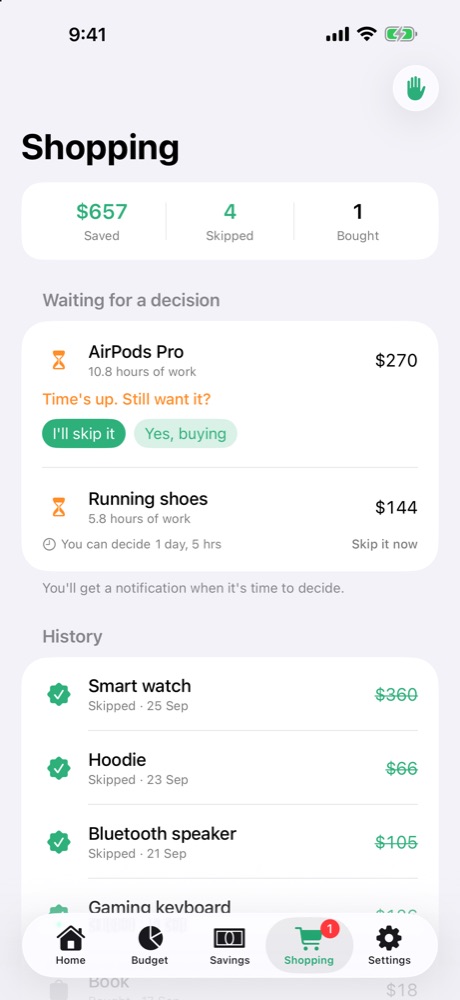
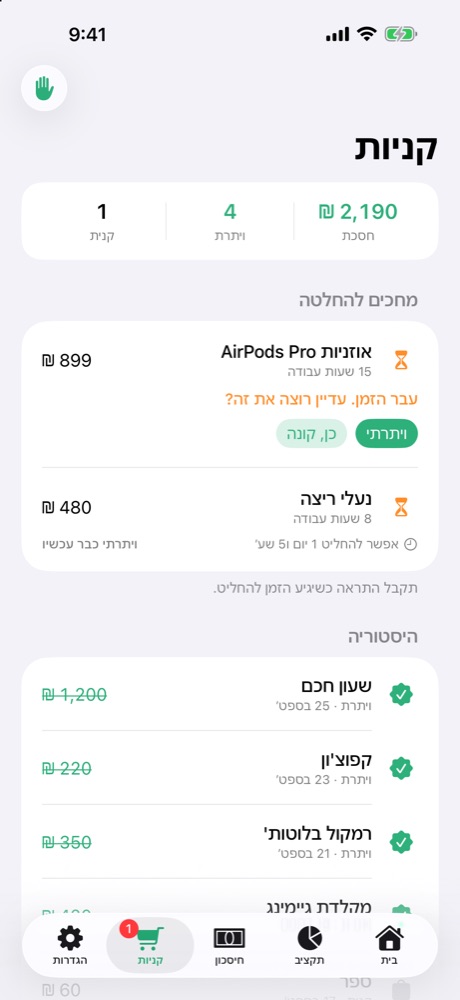
Every skip is added to "Saved so far". Not sure? Let it wait 48 hours and decide calmly.כל ויתור נוסף ל"חסכת עד היום". לא בטוח? נותנים לזה לחכות 48 שעות ומחליטים בראש שקט.
Featuresמה יש באפליקציה
Simple on the surface, with the tools you need when you want to go deeper.פשוטה לשימוש, עם כלים מתקדמים כשרוצים להעמיק.
Pick Amazon, Shein, Temu or any app. Opening one shows the pause screen first.בוחרים AliExpress, Shein, Temu או כל אפליקציה, ובפתיחה מופיע קודם מסך העצירה.
Park an item for 48 hours (or any time you choose) and get a reminder to decide.שמים פריט בהמתנה ל-48 שעות (או כמה שבוחרים) ומקבלים תזכורת להחליט.
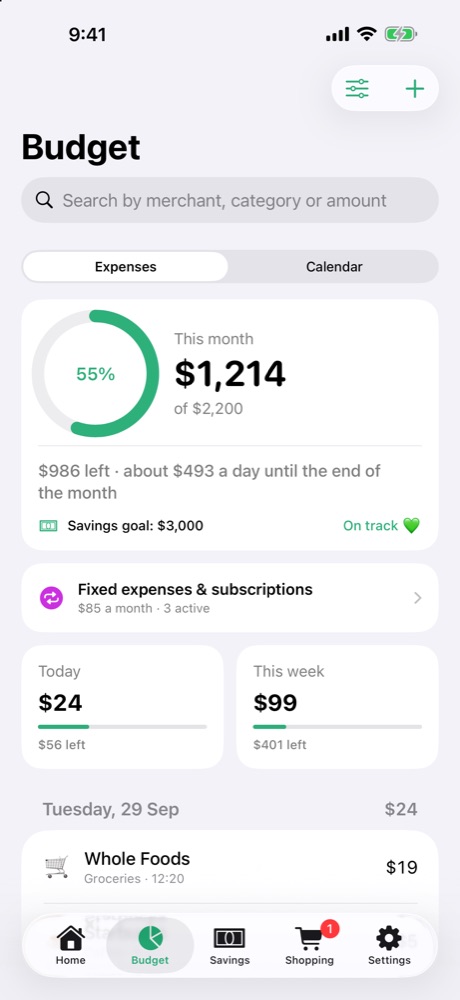
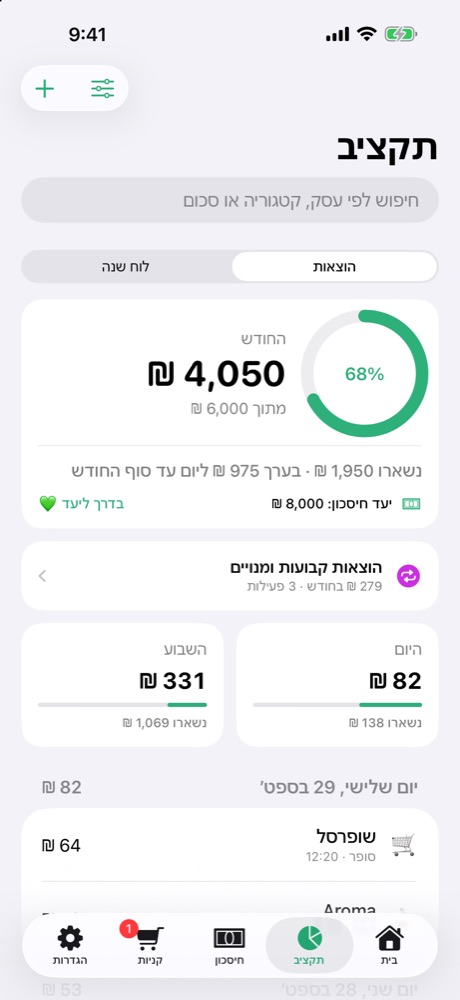
Fixed or automatic limits, with an alert before you overspend.מגבלות קבועות או אוטומטיות, עם התראה לפני שחורגים.
Connect once through Shortcuts and every phone payment is logged with the merchant.מחברים פעם אחת דרך קיצורים, וכל תשלום בטלפון נרשם עם שם העסק.
Rent, Netflix, gym. Logged every month, with a reminder before renewal.שכר דירה, נטפליקס, חדר כושר. נרשמים כל חודש, עם תזכורת לפני חידוש.
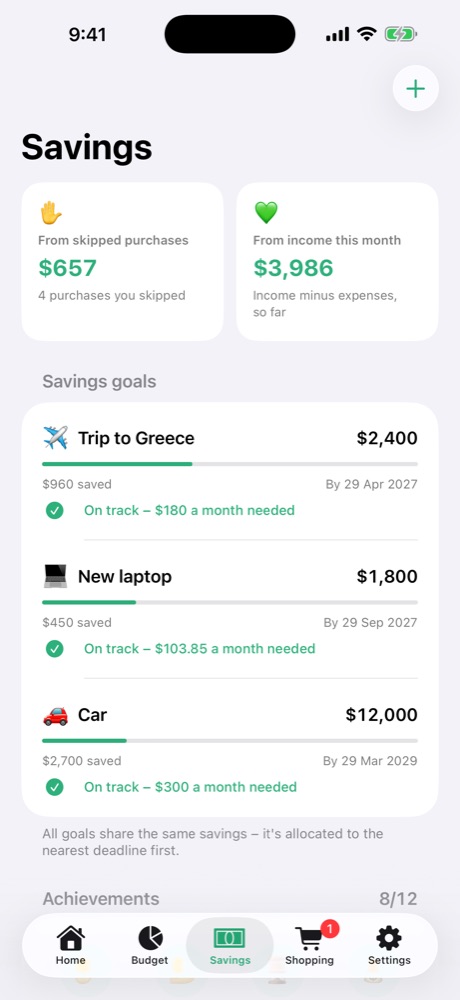
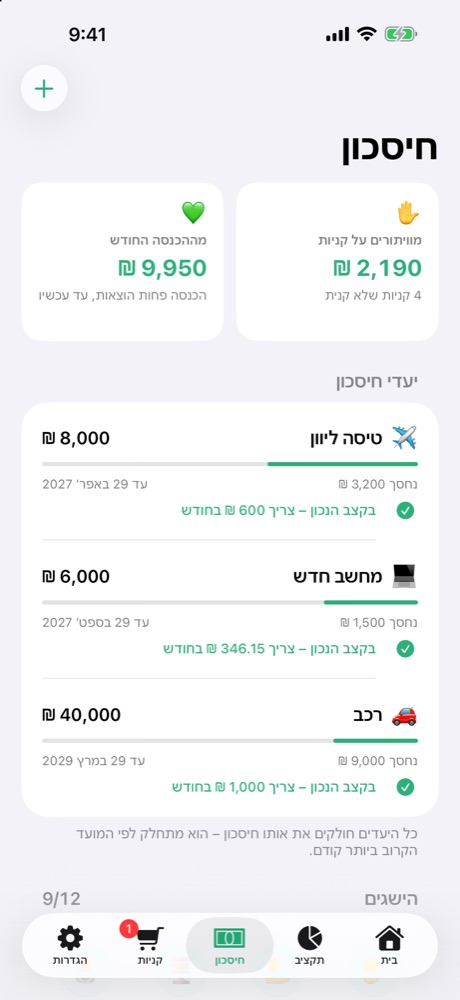
A trip, a laptop, a car. See how much to save each month and if you're on track.טיסה, מחשב, רכב. רואים כמה לחסוך כל חודש ואם אתה בקצב.
A weekly summary every Sunday and a full Excel report by day, week, month and category.סיכום שבועי בכל יום ראשון ודוח אקסל מלא לפי יום, שבוע, חודש וקטגוריה.
Stay on budget day after day and unlock achievements as you go.נשארים בתקציב יום אחרי יום ופותחים הישגים בדרך.
Widget, 6 color themes with a matching icon, dark mode, Hebrew & English, any currency.ווידג'ט, 6 ערכות צבעים עם אייקון תואם, מצב כהה, עברית ואנגלית וכל מטבע.
A closer lookמבט מקרוב
Privacyפרטיות
ThinkTwice! doesn't collect any data. There's no account and no server of ours in the middle.ThinkTwice! לא אוספת שום מידע. אין חשבון ואין שרת שלנו באמצע.
Read the privacy policy →למדיניות הפרטיות ←FAQשאלות נפוצות
Yes. No ads and no in-app purchases.כן. בלי פרסומות ובלי רכישות בתוך האפליקציה.
In the app go to Settings → Apple Pay. There's a step-by-step guide with a short video for each step. It takes about two minutes.באפליקציה נכנסים להגדרות ← Apple Pay. יש שם מדריך צעד אחר צעד עם סרטון קצר לכל שלב. זה לוקח בערך שתי דקות.
Go to Settings → Shopping apps, choose the apps again and allow Screen Time access.נכנסים להגדרות ← אפליקציות קניות, בוחרים שוב את האפליקציות ומאשרים את הרשאת זמן מסך.
No. Only if you set up the Shortcuts automation does it receive the amount and merchant of a payment, and that stays on your phone.לא. רק אם תגדיר אוטומציה בקיצורים היא מקבלת את הסכום ושם העסק של תשלום, וזה נשאר בטלפון שלך.
Sign in with the same Apple ID. Your data comes back from your iCloud backup automatically.מתחברים עם אותו Apple ID, והנתונים חוזרים לבד מגיבוי ה-iCloud שלך.
All of them. When you switch, the app can convert every amount at the current exchange rate.בכולם. כשמחליפים מטבע, האפליקציה יכולה להמיר את כל הסכומים לפי השער העדכני.
Questions, bugs or ideas. Email me and I'll get back to you soon.שאלות, באגים או רעיונות. כתבו לי ואחזור אליכם בהקדם.
thinktwiceeapp@gmail.com